
You’re looking for a skincare tutorial, but land on a makeup article, then end up on a body care page without ever finding the routine you wanted. This is a common experience on poorly organized beauty advice websites. The solution often comes down to a single page: the sitemap, which lists all the sections and articles in one place.
Why a sitemap makes it easier to find beauty advice
A sitemap is a page that lists all the content on a website in a hierarchical format. Unlike the main menu, which is limited to a few items, this page displays every category, subcategory, and individual article.
For a beauty website, that means skincare, makeup, body care, and ingredients all appear on a single screen. You no longer have to guess which tab might contain the advice you’re looking for.
RGAA 4.1.2 also stipulates that a website must offer at least two navigation systems from among the menu, sitemap, and search function. The idea is simple: access to content should never depend on just one route. A sitemap complements the menu where it falls short, especially as the number of articles grows.
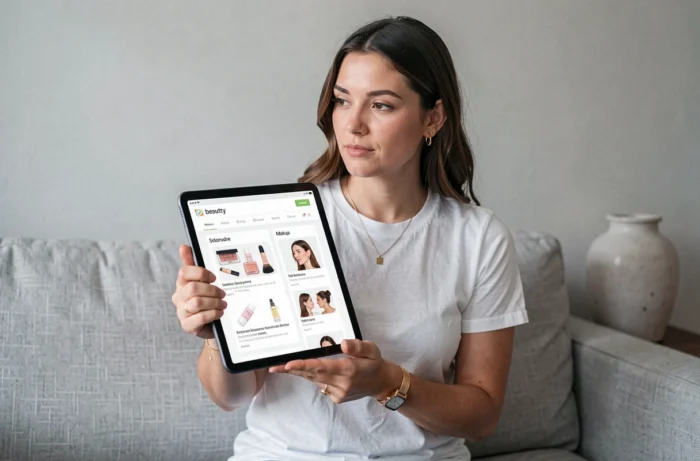
On the Mes Conseils Beauté sitemap, each topic is clearly grouped, making it easy to find the section you’re looking for in seconds without clicking through a series of pages.
Beauty categories and content filters: what makes navigation easier
Having a sitemap isn’t enough if the categories are vague or too broad. A beauty advice website is easier to navigate when its sections reflect the real concerns of its readers.
Categories organized around readers’ needs
Have you noticed that some websites file an article about serums under “trends” rather than “skincare”? This editorial choice makes navigation confusing. Every article should belong to a logical category—the one where visitors would naturally expect to find it.
Here are the categories a well-structured beauty website should clearly distinguish:
- Skincare: routines, cleansers, moisturizers, serums, sun protection, organized by skin type where relevant
- Makeup: application techniques, product recommendations by area (eyes, lips, complexion), occasion-specific advice
- Body care: exfoliation, moisturizing, targeted products (hands, feet, hair), seasonal routines
- Ingredients and analysis: guides to active ingredients (hyaluronic acid, niacinamide, retinol) and how to read product labels
The internal search function as a complement
A built-in search function is the third navigation option provided for under RGAA. It serves a different purpose from the sitemap: it answers a specific query. The sitemap helps you explore; the search function helps you find.
When you know exactly what you’re looking for (for example, “dry oil makeup remover”), type it into the search bar. When you want to explore what’s available on a broad topic like skincare, the sitemap or categories are a better fit.
Web accessibility and beauty websites: a growing requirement
Clear navigation isn’t just a matter of convenience. Since June 2025, the European Accessibility Act has applied to certain e-commerce services aimed at consumers. Websites that sell beauty products online are covered, subject to exemptions for microenterprises providing services.
In practical terms, this means the sitemap link must be in the same place on every page. RGAA specifies: the same functionality, the same location, and the same relative order in the source code. A link hidden at the bottom of the homepage but missing from article pages does not meet this requirement.
For visitors, this regulatory requirement provides a consistent point of reference. You know where to find the sitemap, whatever article you’re reading. It’s a small detail of web architecture, but it makes a difference to the everyday browsing experience.

Three ways to find beauty advice in under a minute
Instead of scrolling endlessly, use a quick approach based on what you’re looking for.
First: open the sitemap when you’re exploring a broad topic. Want to explore everything about eye makeup? The sitemap lists the available articles without making you navigate through several submenus.
Second: use the search function for a specific question. A technical term, an ingredient name, a product type—the internal search filters the content in seconds.
Third: look for the main categories in the menu. A well-designed website limits its menu to five or six clear items. If you see “Skincare,” “Makeup,” “Body Care,” and “Ingredients,” you’ll know exactly where to go.
These three routes—the sitemap, search, and menu—work together. None replaces the other two, and it’s precisely this combination that makes navigation seamless. A beauty advice website that offers all three provides quick access, wherever you start.
Next time you’re looking for a skincare tip or a makeup guide, start with the sitemap. It’s often the quickest route to the content you couldn’t find.